

biiwow Books · the app
Your bookshelf, in your pocket.
Know what you own. Find the right book for the moment. Share it with someone who'll love it.
- One shelf photo = every book on it
- Free to start, no card
- No app store needed
iPhone, Android and computers. Installs from the browser in two taps.

What it does for you
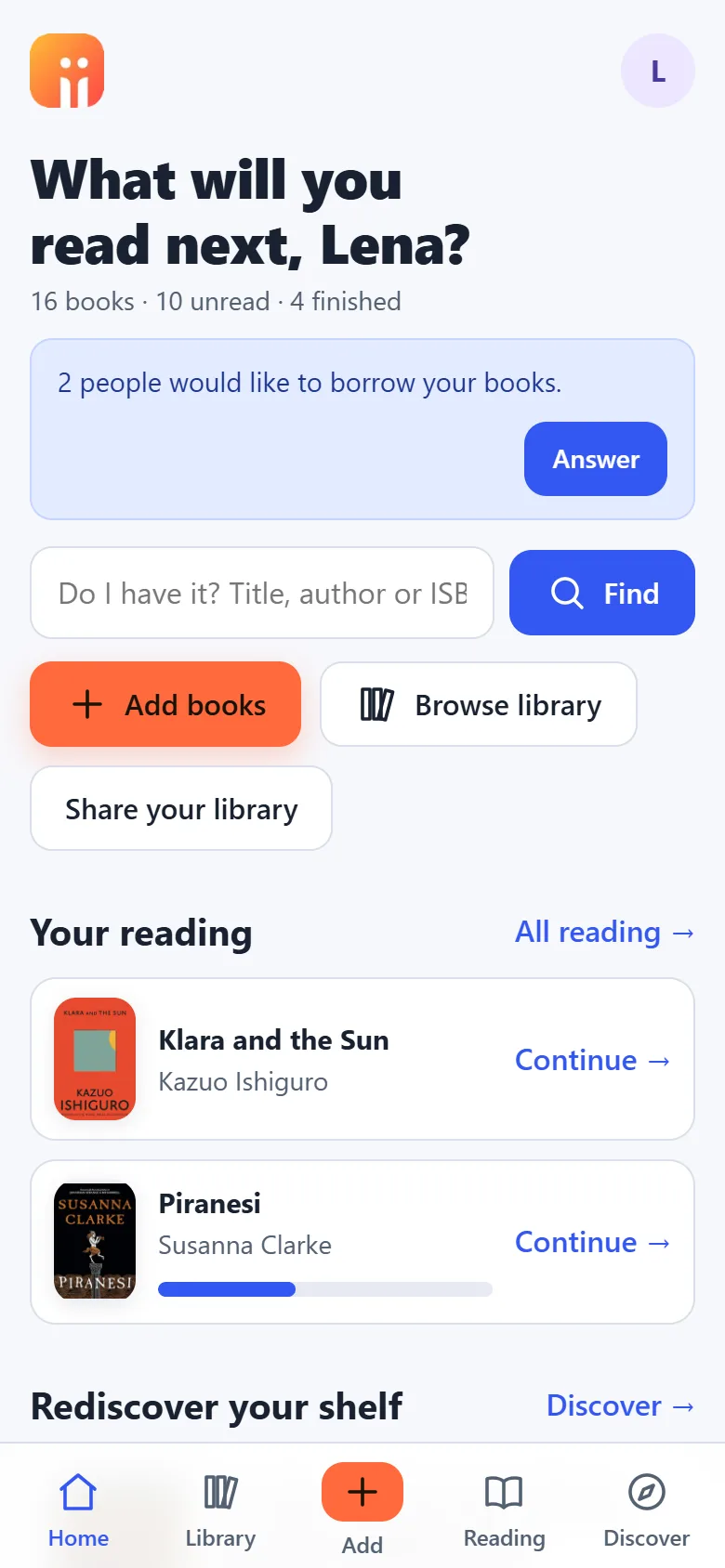
Seven benefits, each backed by a real app action. Every screen is the app itself, not a mock-up.
01
Your whole collection, together.
See and search your paperbacks, e-books and audiobooks in one place.
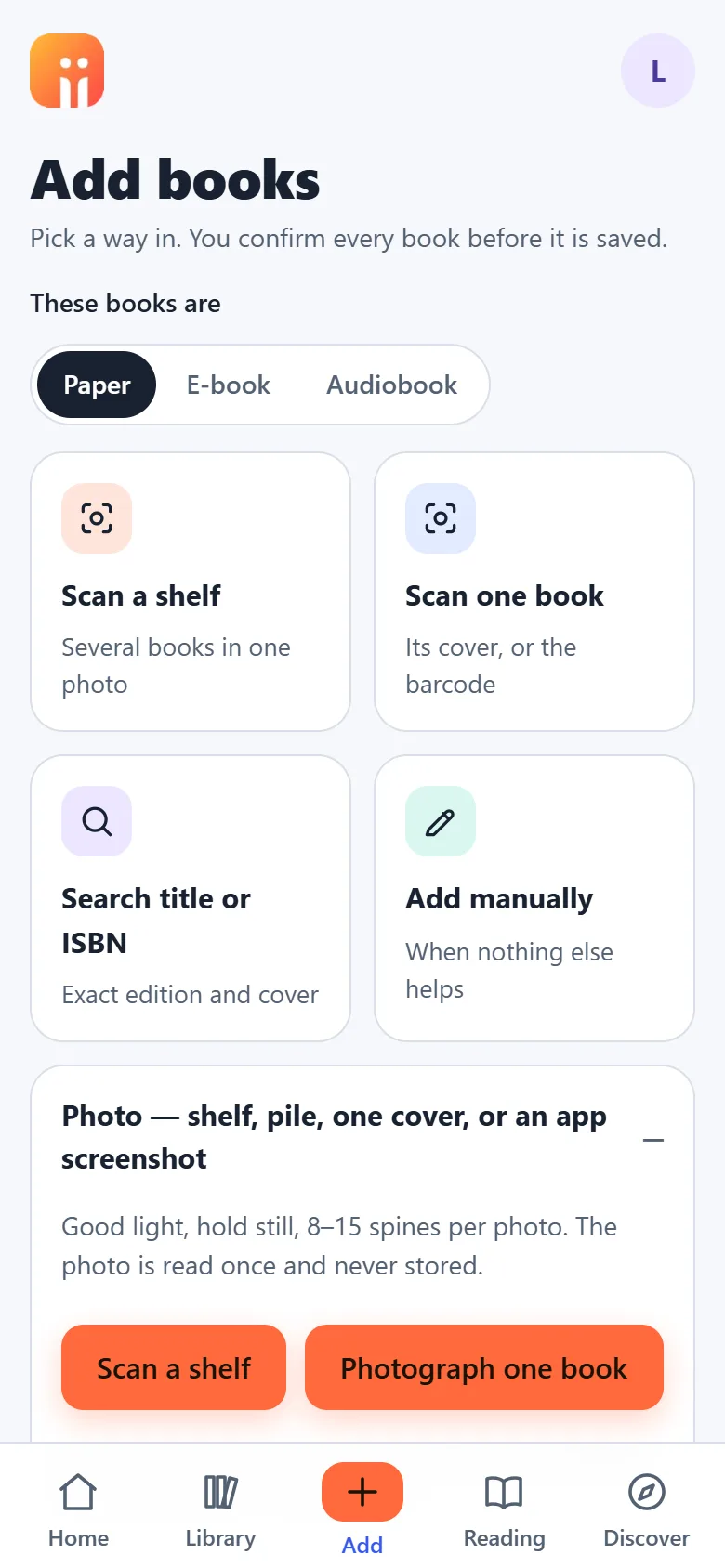
In the app: photograph a shelf, scan a barcode, search a title, screenshot your Kindle or Audible list, or import a Goodreads file. Filter by format, language and category.
02
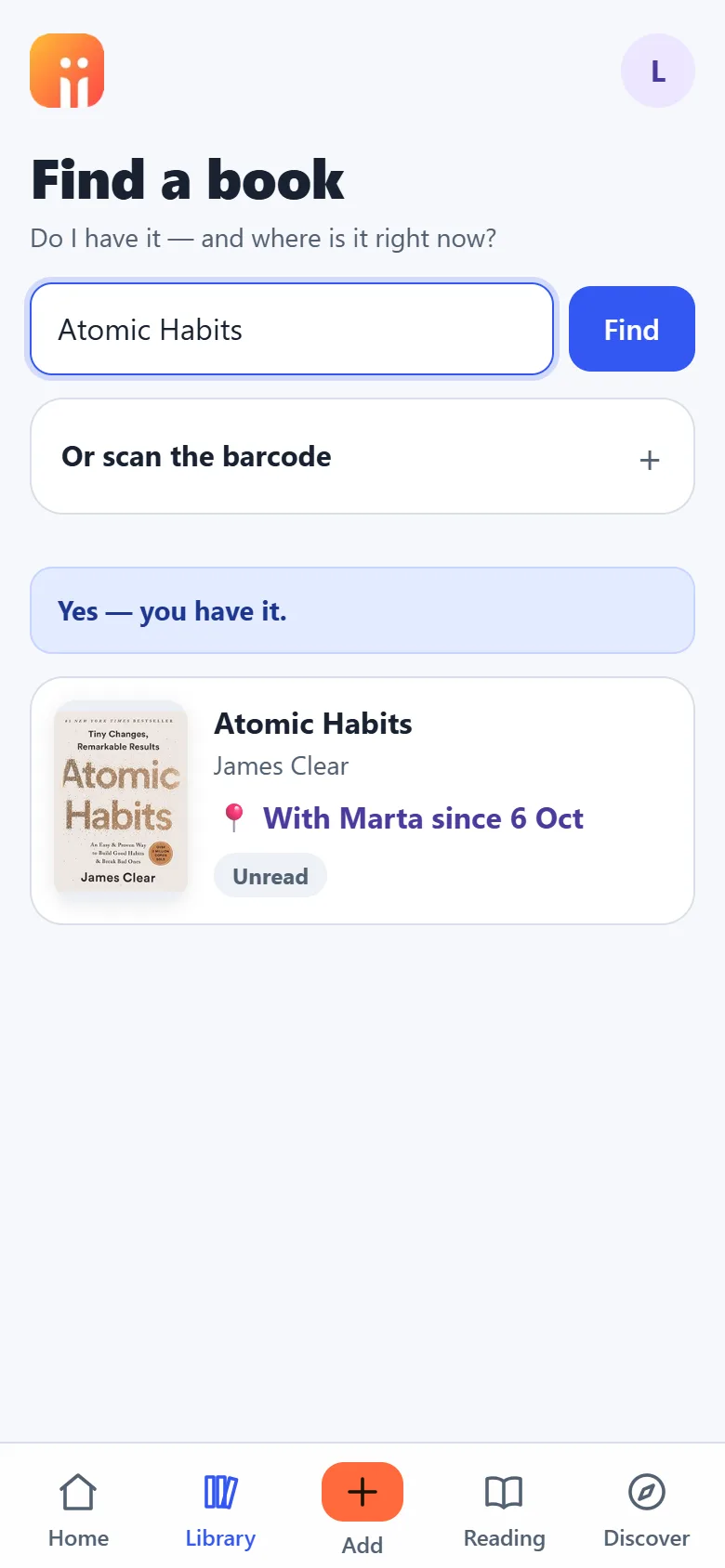
Check before you buy.
Look up your collection while shopping to avoid buying a book you already own.
In the app: type a title or scan the barcode in the shop. “Yes, you have it, with Marta since 6 October.”
03
Know who has your books.
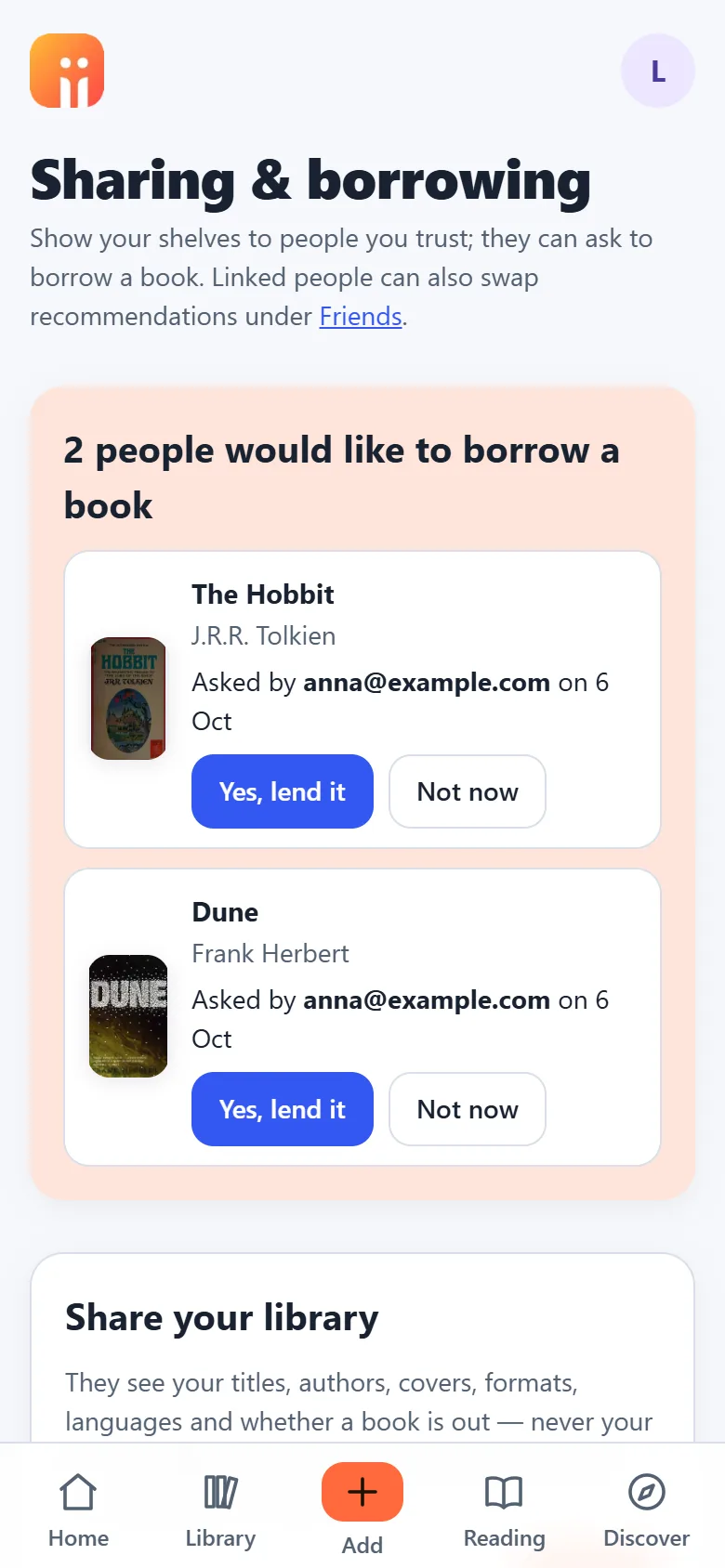
Record loans and returns.
In the app: a borrow request arrives, you tap “Yes, lend it”, and the loan is recorded until you mark it returned. Lending by hand works the same way.
04
Recommendations with a purpose.
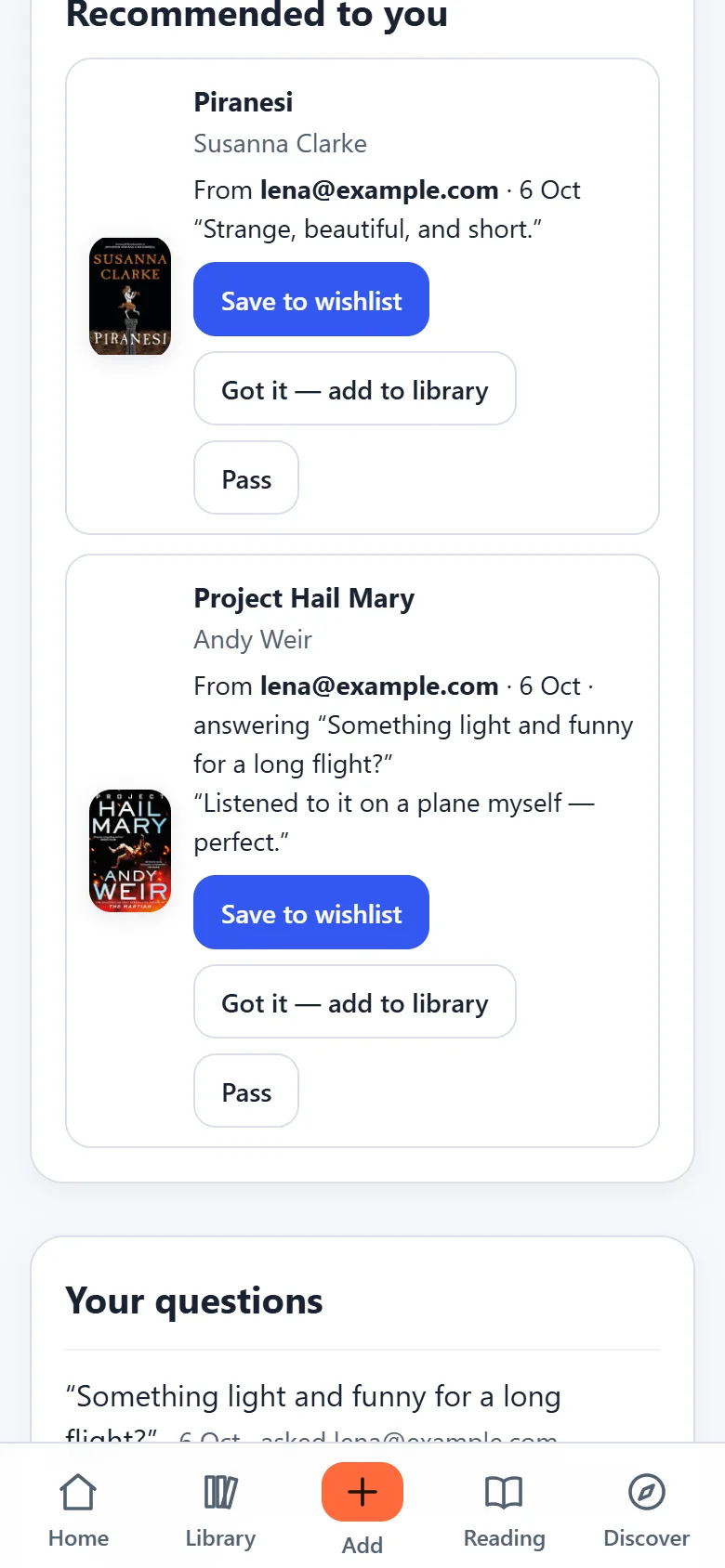
Find a suitable book for a gift, workshop, project or topic you want to explore. Ask your bookworm friend, or recommend something yourself.
In the app: describe the occasion, send it to one friend or all of them, and they answer from their own shelves. Save, add or pass with one tap.
05
Sharing made easier.
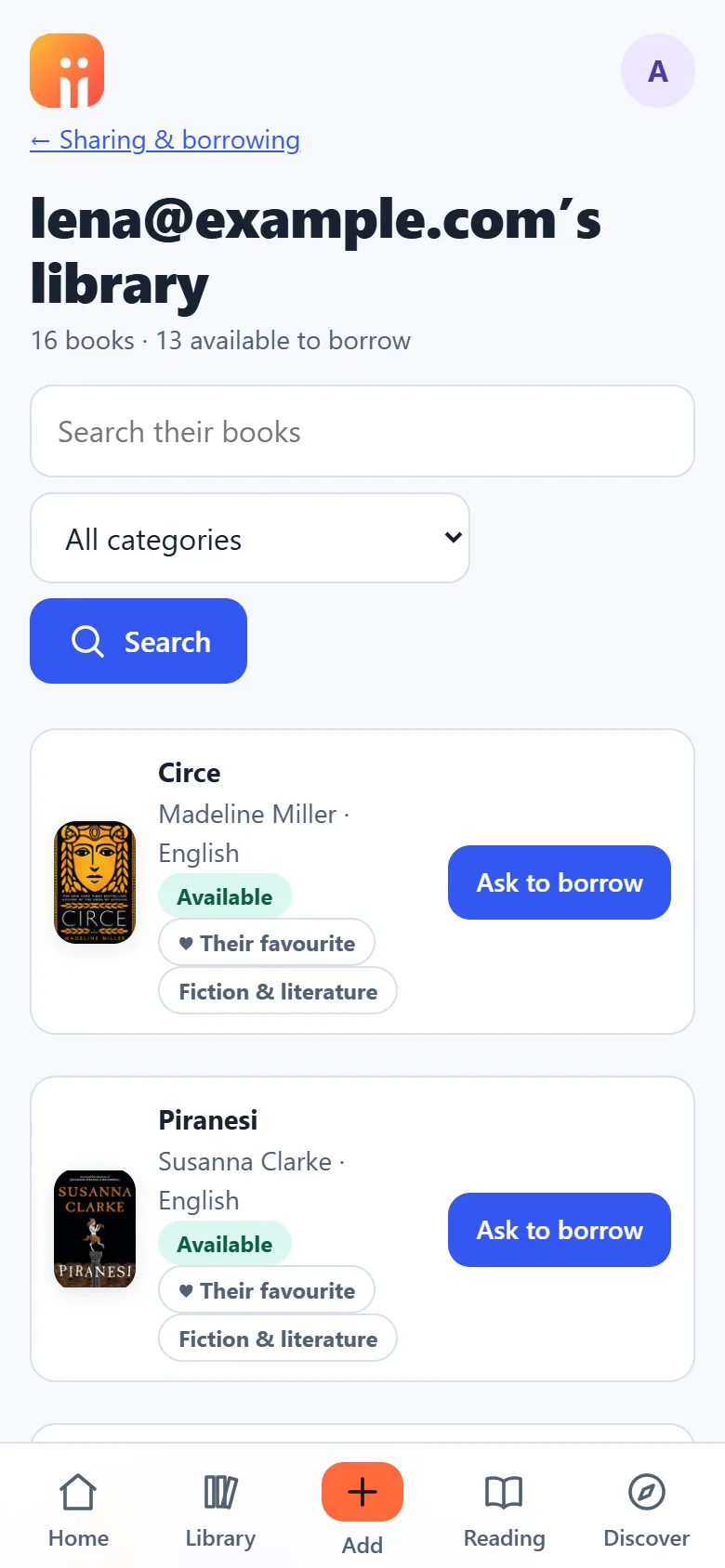
Let trusted friends browse your shelves and request to borrow. Seeing your collection also helps them choose gifts you don’t already own.
In the app: share your library, or only your favourites, with a person by email. They see titles and covers, never your notes.
06
Your next read, sorted.
Rediscover unread books, get suggestions based on your collection, and plan what to read next.
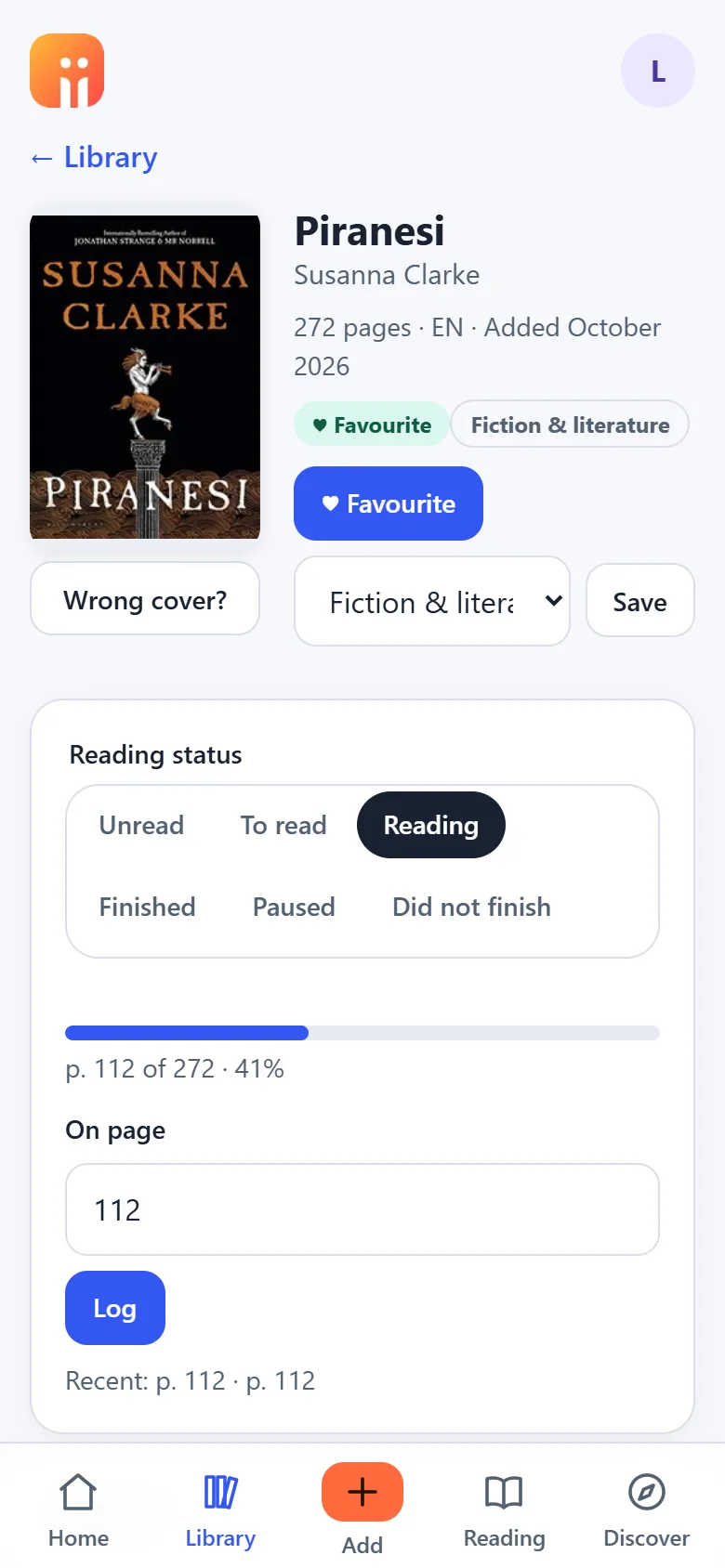
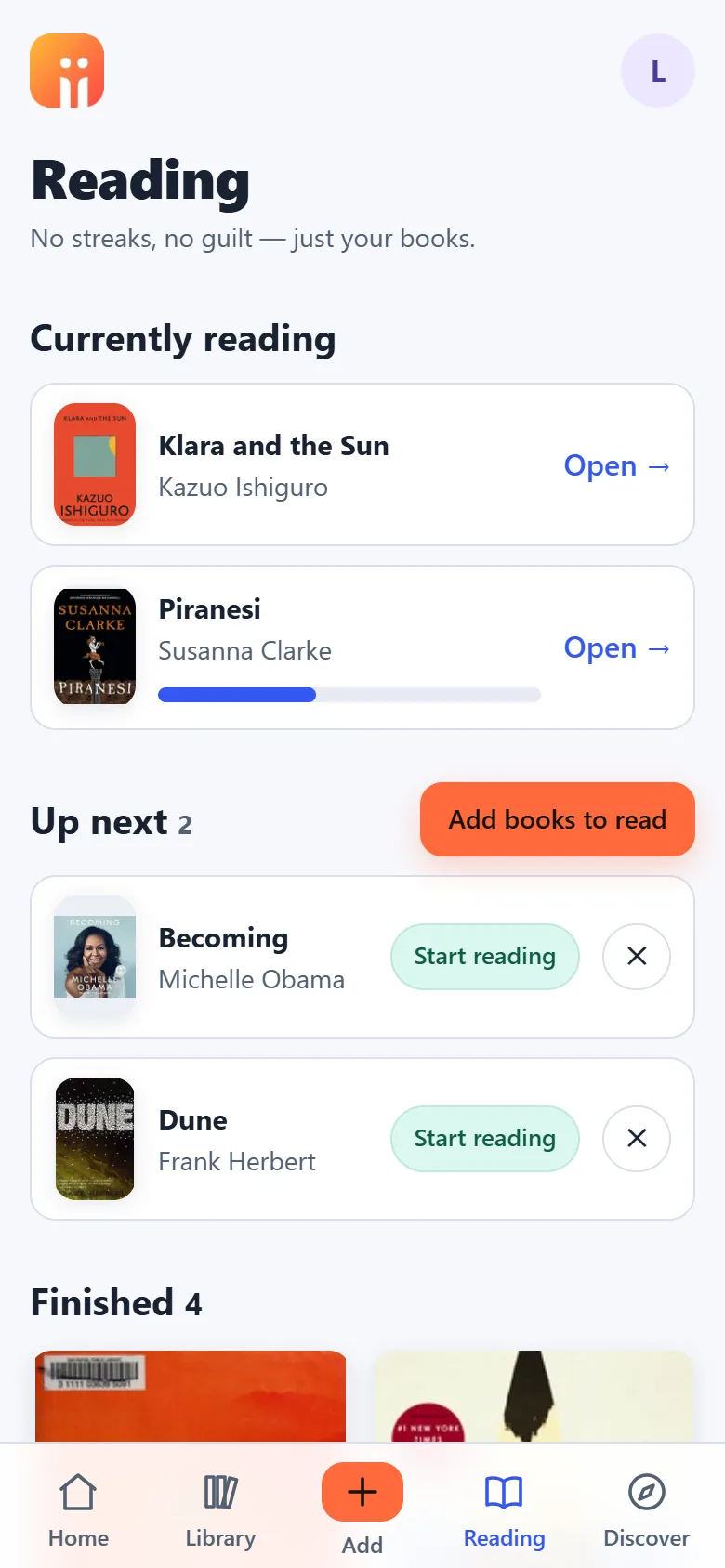
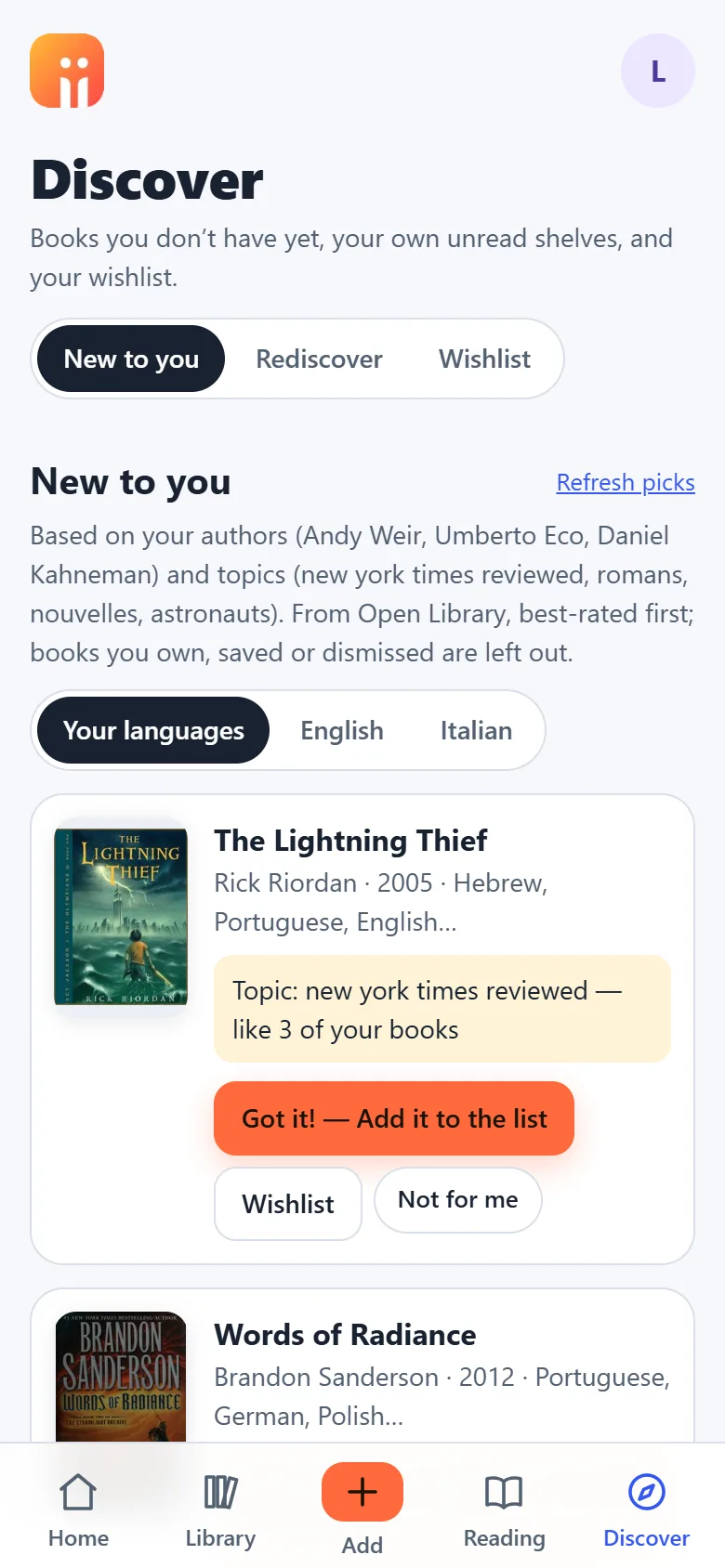
In the app: a short To-read queue, the page you are on, and picks drawn from the authors and topics already on your shelves.
07
Give books another chapter.
Keep, donate, sell, or pass them on.
In the app: mark a book to keep, to give away, or to give to someone by name. The lending history stays after it leaves.
biiwow Books brings your reading life together. Check what you own before buying, discover your next read, and ask your bookworm friend for a recommendation that fits the occasion. Share your shelves and remember who borrowed what.
Every screen
Swipe through the app before you install it.
Also inside
- Twenty common categories, sorted for you; change any by hand
- Favourites with a heart, and a share mode that shows only those
- Reading progress by page, a Finished shelf, paused and did-not-finish
- Languages per book, with filters in your library and in Discover
- Export to a file at any time; import from Goodreads or StoryGraph
- Shelf photos are read once and never stored; your library is private
Pricing
Free to start. Pay once for the big first load. Subscribe only if you keep adding. VAT included; the exact amount for your country is shown at checkout in the app.
Free
€0
forever
- Up to 60 books in your library
- 5 shelf photos to try the camera
- Unlimited barcode, ISBN, search and list imports
- Covers, categories, lending, sharing, recommendations
- No card, no trial clock
Library import
€9.99
one time
- Credits for 500 books and 50 shelf photos
- Used whenever the free allowance runs out
- Credits never expire, no subscription needed
- Buy again when they are used up
Keep adding
€2.99
a month, or €29.99 a year
- 100 new books and 100 shelf photos a month
- The yearly plan includes the library import
- Cancel any time; your library stays visible and exportable
- Payments by Stripe, inside the app
Get it on your phone
Nothing to download from an app store. Open biiwow Books, create your account, add it to your home screen. It then opens full-screen like any other app.
iPhone and iPad
- 1Open the app in Safari (the Start free button).
- 2Tap Share — the square with the arrow.
- 3Choose Add to Home Screen, then Add.
Android
- 1Open the app in Chrome.
- 2Tap the ⋮ menu, then Install app.
- 3Confirm. It appears with your other apps.
Windows and Mac
- 1Open the app in Chrome or Edge.
- 2Click the install icon at the right end of the address bar.
- 3It opens in its own window from now on.
Reviews
Written only by people who have biiwow Books: every review is tied to a purchase, a gift of access or a test place on the account that wrote it.
Loading reviews…
Questions
Is the free plan really free?
Yes, for as long as you like. Sixty books, five shelf photos to try the camera, and unlimited adding by barcode, ISBN, search or import. No trial that runs out, no card to enter.
Where do I pay?
Inside the app, on Stripe's secure page, with the exact VAT for your country shown before you confirm. This site does not take payments for biiwow Books.
What is the library import?
The one-time load: credits for 500 books and 50 shelf photos, used whenever your free allowance is exhausted. They never expire and stay yours if a subscription ends. The yearly plan includes one.
What happens if I stop paying?
You move to the free plan. Your whole library stays visible, searchable and exportable; only adding pauses until you renew. Nothing is deleted.
Are my photos kept?
No. A shelf photo is sent once for recognition and not stored. Covers come from an open book catalogue, through the app's own cache.
Who can see my books?
Nobody, unless you share your library with a person you choose, and you can limit that to your favourites. They see titles, covers and whether a book is out, never your notes, reading status or who has it. Stop sharing at any time.
Which languages?
The app is in English; your books can be in any language. Each book is tagged with its language, you can filter by it, and Discover can show picks in one language at a time.
Terms of Service, Privacy Notice and how the automated features work are shown before you create an account. Questions: support@biiwow.com. Locale: pt.